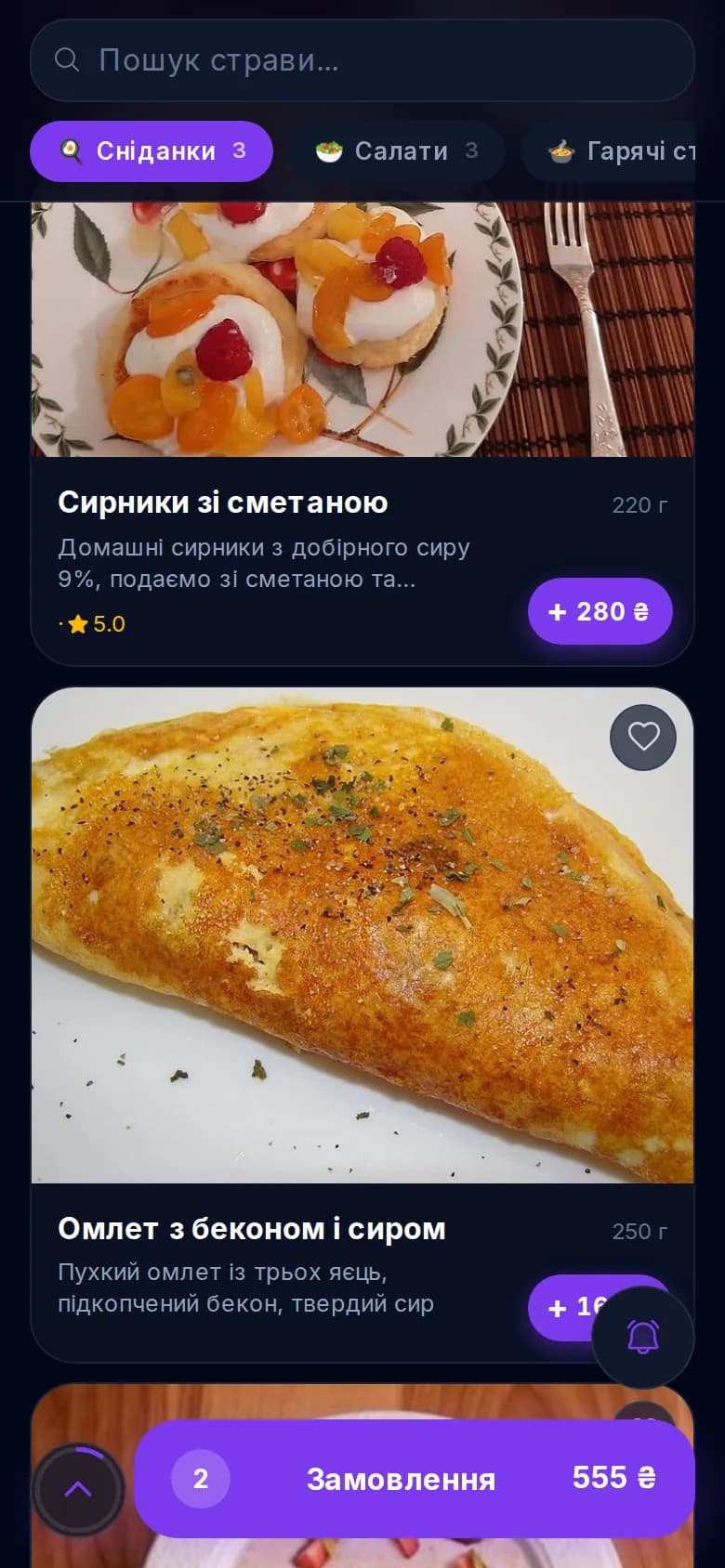
QR menu with photos, allergens and full macros
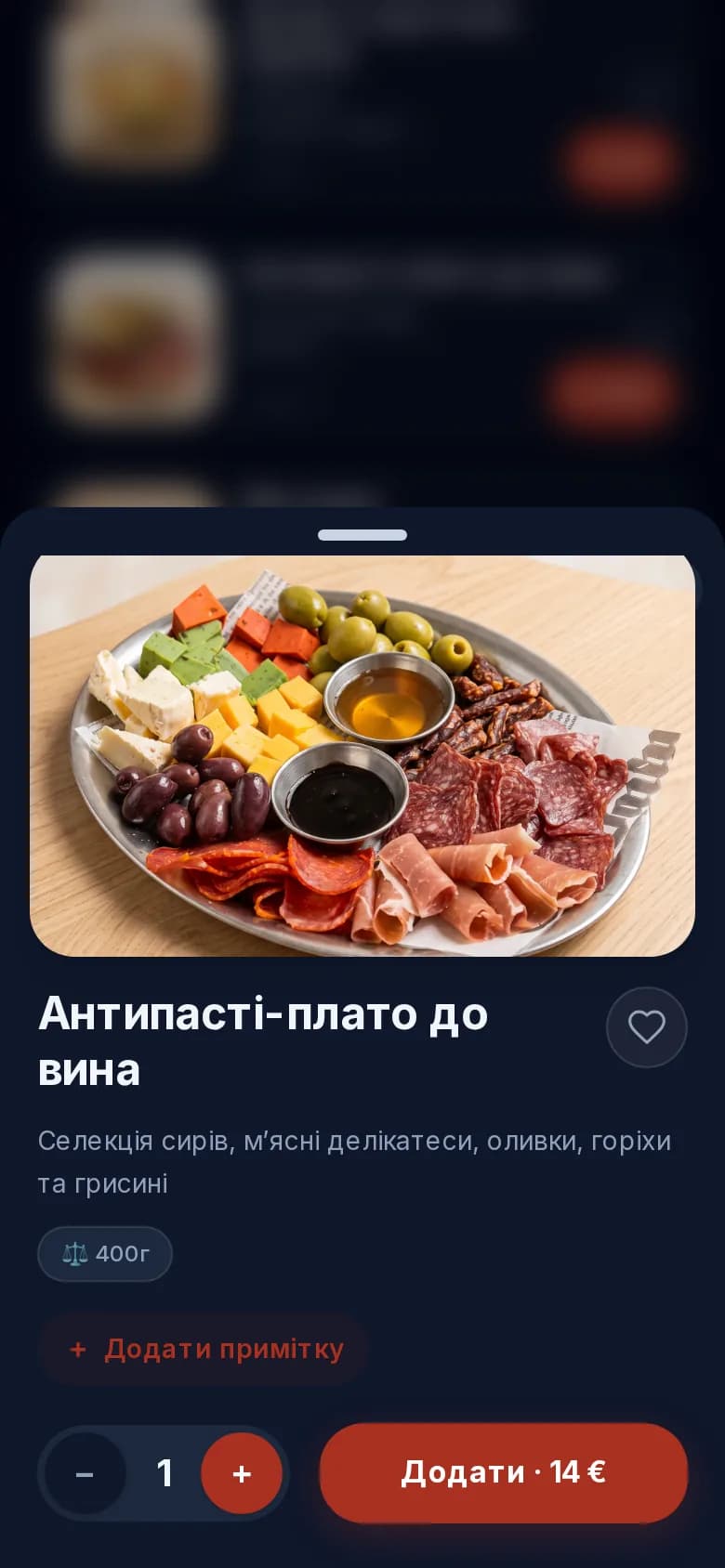
The guest scans a single QR on the table and sees an up-to-date menu with photos, descriptions, weight, tags (🌶️ spicy, 🌿 vegan, ⭐ bestseller) and allergen labels. No paper, no out-of-date prices.


A modern alternative to Expirenza and Choice QR
Digital QR menu, order from the table, kitchen display, payment straight to your account and analytics - all in a single scan. Free QR menu for the first 30 days, then half the price of the alternatives, 0% platform fee, and a public venue page in Google and AI search.
Leave your number - we'll set it up for you
We call back during business hours and set up your account together in 15 minutes. Free.
01 / What it is
A single QR code for a restaurant is a system that brings together a digital menu, ordering from the table, bill payment and review collection in one scan, with no waiter involved. UA Pro delivers exactly that, with a kitchen display and analytics, at half the price of the alternatives - and, on top of that, lists your venue in an open restaurant directory that Google indexes and AI assistants (ChatGPT, Perplexity, Gemini) cite when a guest is looking for somewhere to eat in their city.
02 / Features
Not yet another QR generator. A full-featured service and management system - and a channel that brings you new guests.
The guest scans a single QR on the table and sees an up-to-date menu with photos, descriptions, weight, tags (🌶️ spicy, 🌿 vegan, ⭐ bestseller) and allergen labels. No paper, no out-of-date prices.
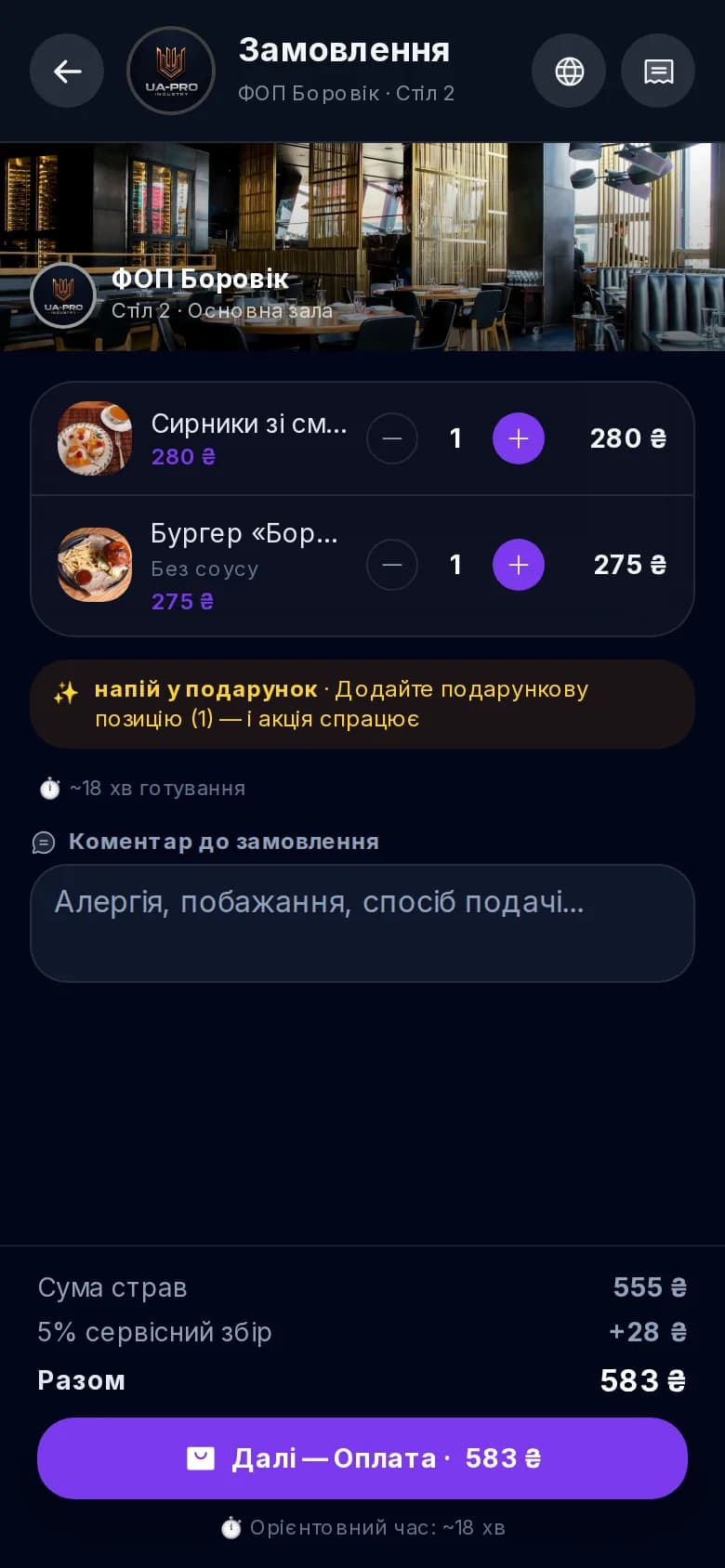
Guests pick their dishes and place the order themselves - it goes straight to the right kitchen or bar station. Less waiting, higher table turnover, and your waiters freed from the routine.
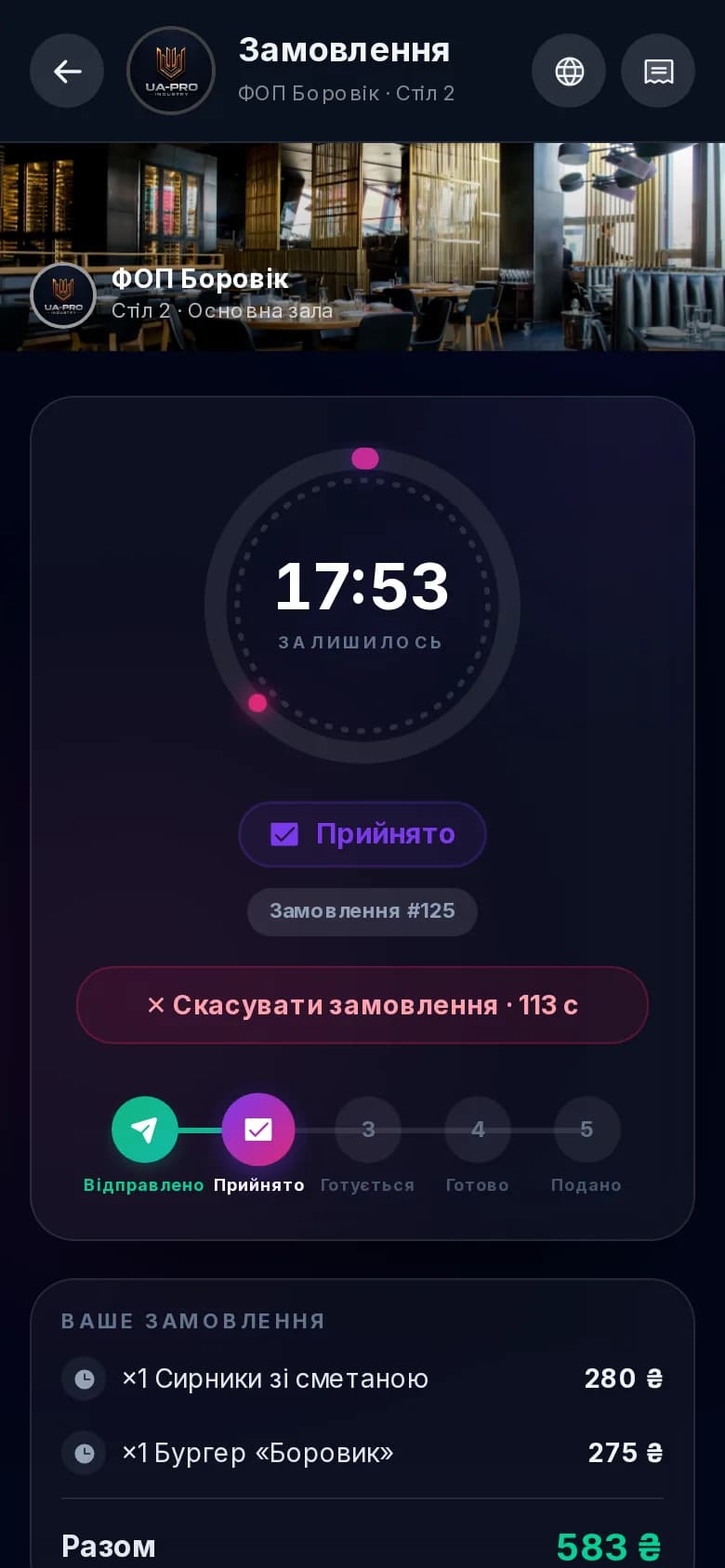
Every dish is automatically routed to its station - kitchen, bar, grill, sushi, pastry. Each cook sees only their own items and their status (accepted → cooking → ready), and overdue orders are highlighted. No chaos, no lost tickets.
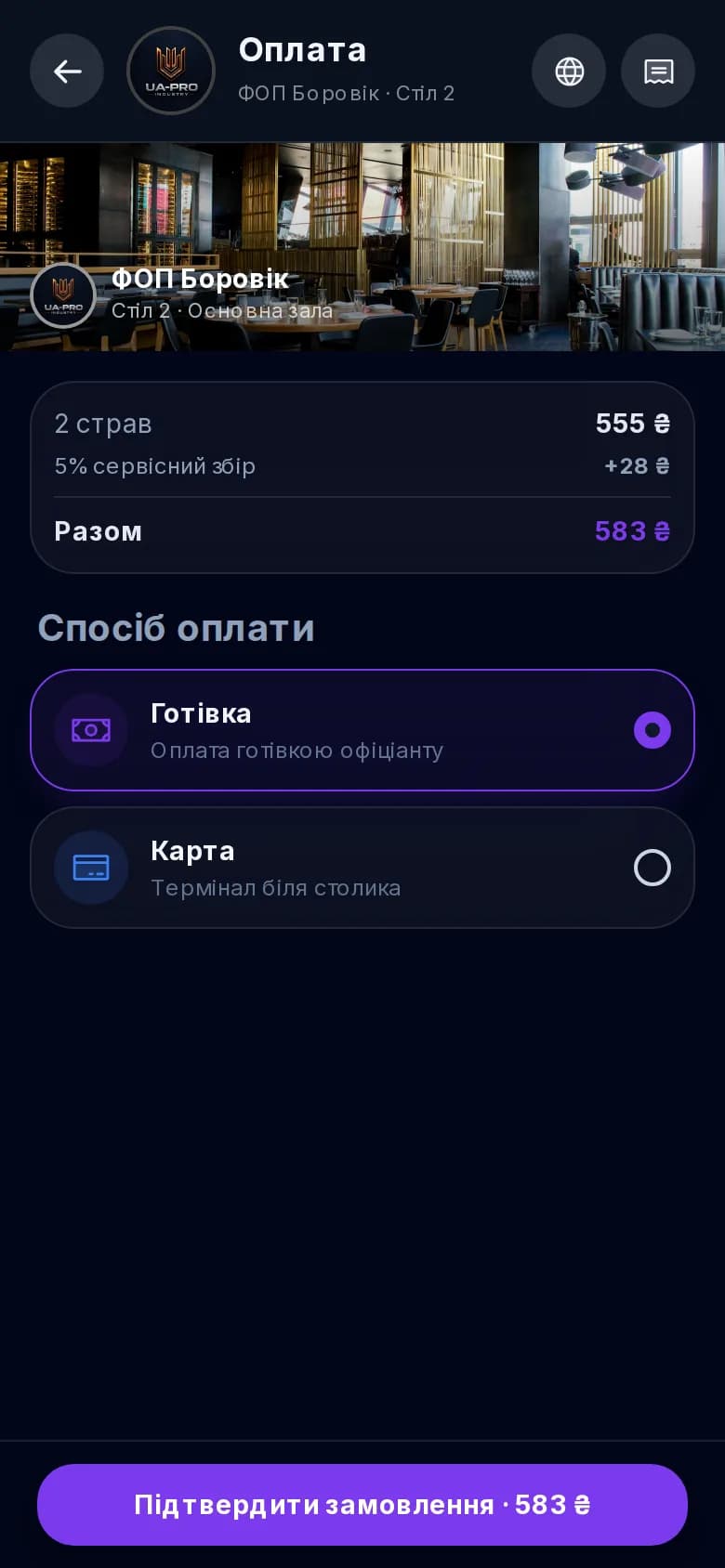
Setting up payments takes just a couple of steps: create a free merchant account, paste the token into your settings - and card, Apple Pay and Google Pay payments work right away. Choose from several providers: monobank, LiqPay (PrivatBank) or Stripe - the system suggests the right one based on the venue's country. All the complex technical integration - creating invoices, webhooks, payment reconciliation, refunds - is handled by UA Pro. The money lands directly in the venue's account, and the platform takes no commission (only the direct bank acquiring rate). Plus bill splitting between guests and tips for the team in a single tap.
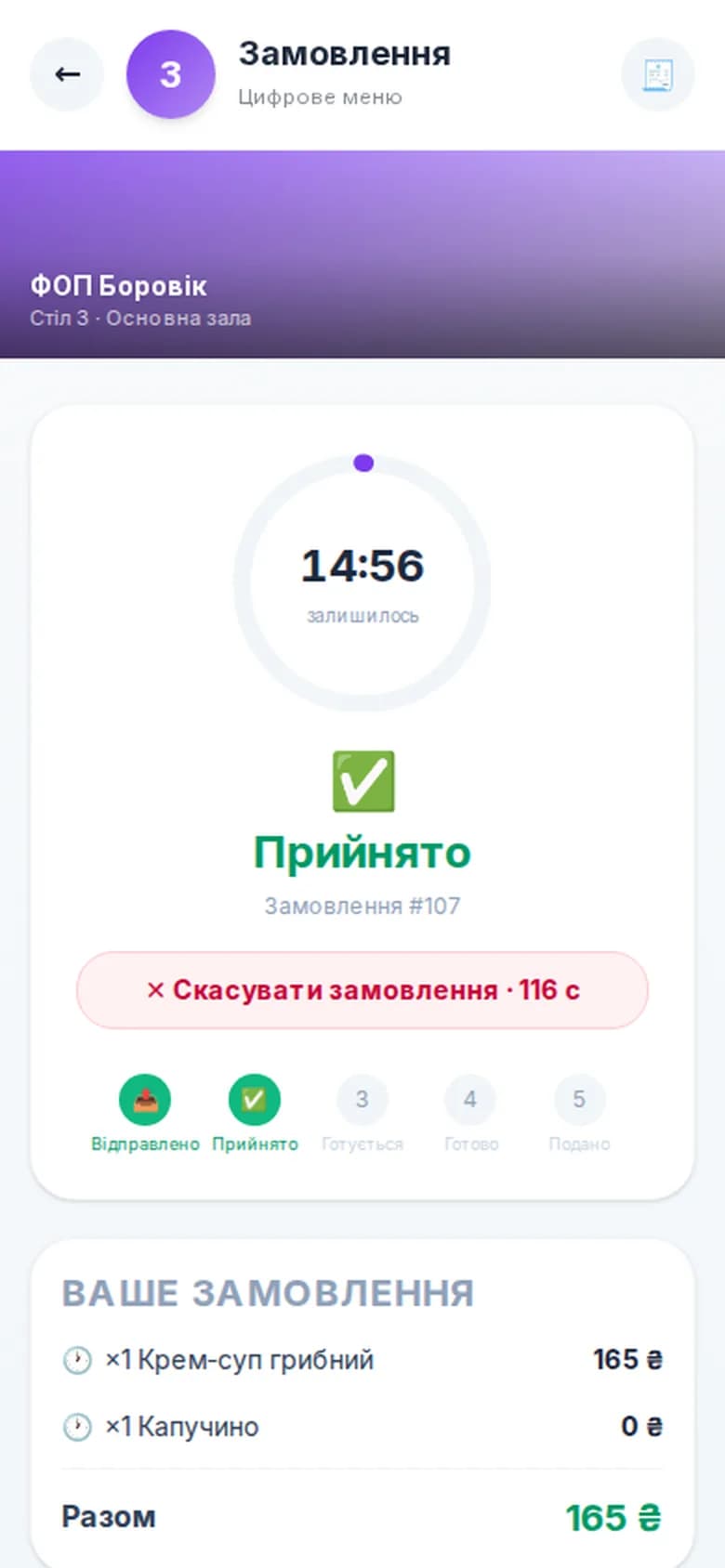
Turn on delivery with a single toggle - guests order straight from the venue's public page, with no aggregators and none of their commissions. Set coverage by district zones or by radius with automatic distance calculation from the guest's address; the fee is computed for you (base + per kilometer, free delivery above a threshold, minimum order). Pay online in advance or in cash to the courier, and the guest sees the cost and estimated time upfront.
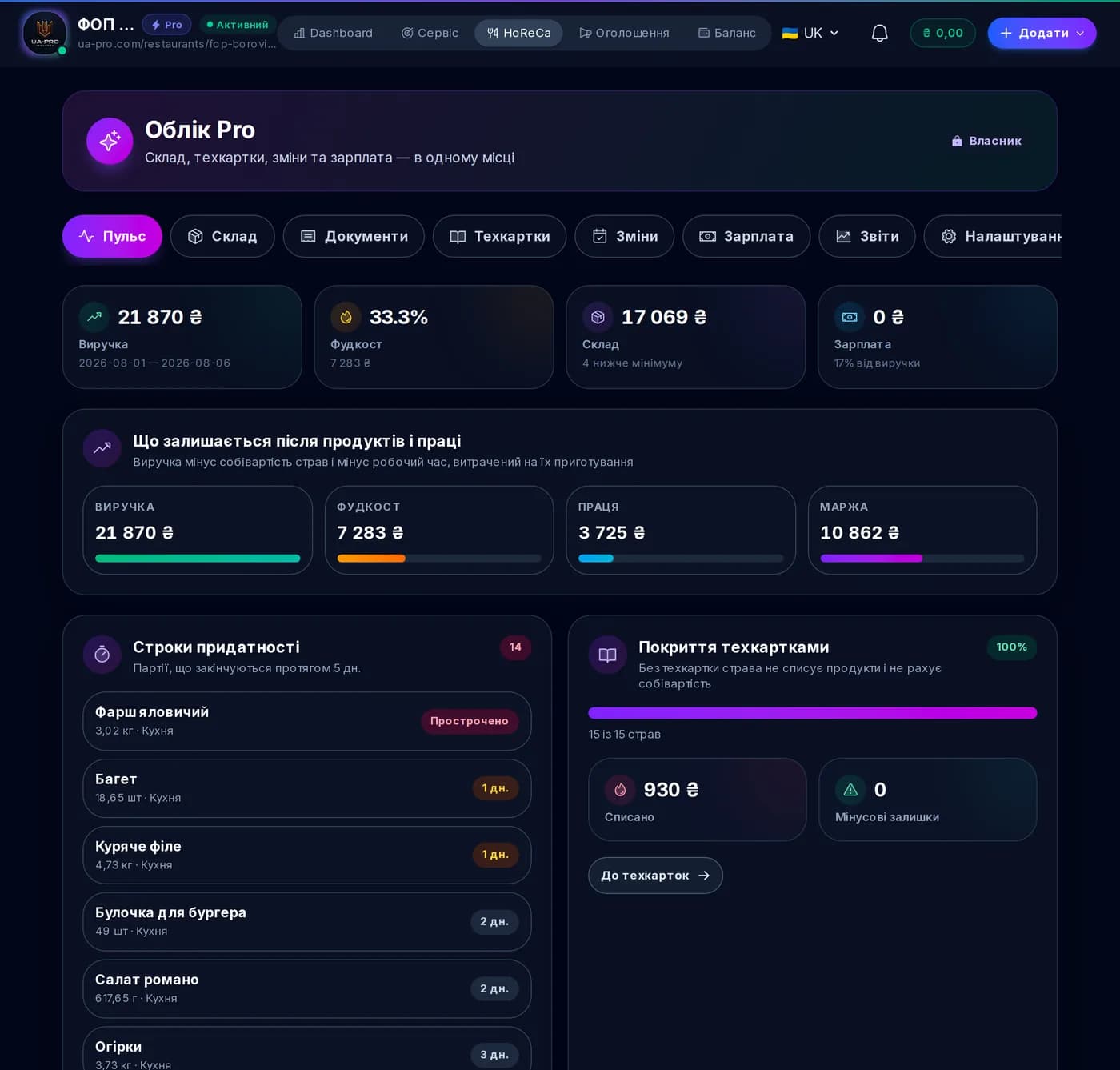
Revenue, average check, number of orders, table occupancy, top dishes, the load on each kitchen station, hourly activity and a 14-day trend. Decisions based on data, not gut feeling - for today, this week or this month.
Guests rate specific dishes, not just the venue as a whole. Over time an open rating builds up - who in town has the best coffee, the best grill, the silkiest cheesecake. It's a reputation you build one plate at a time.
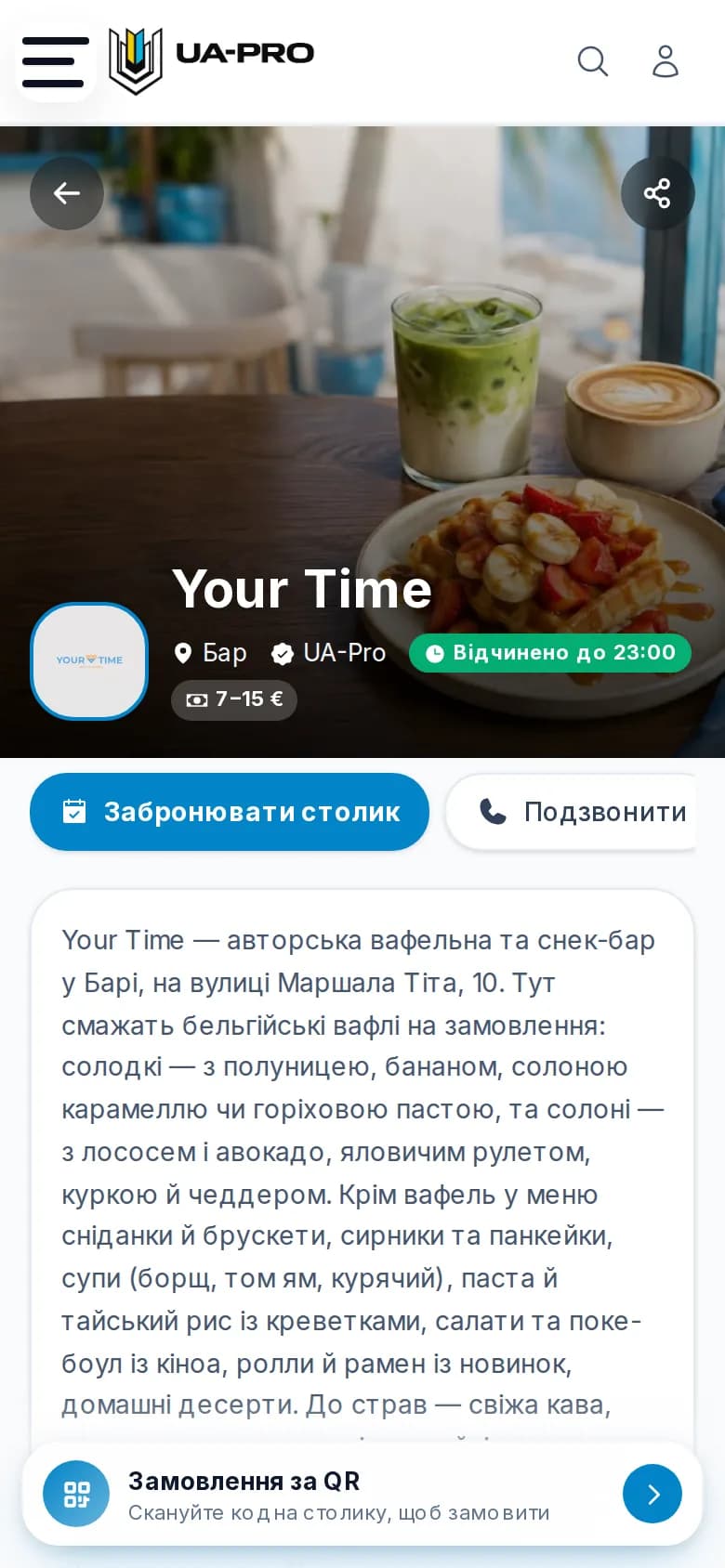
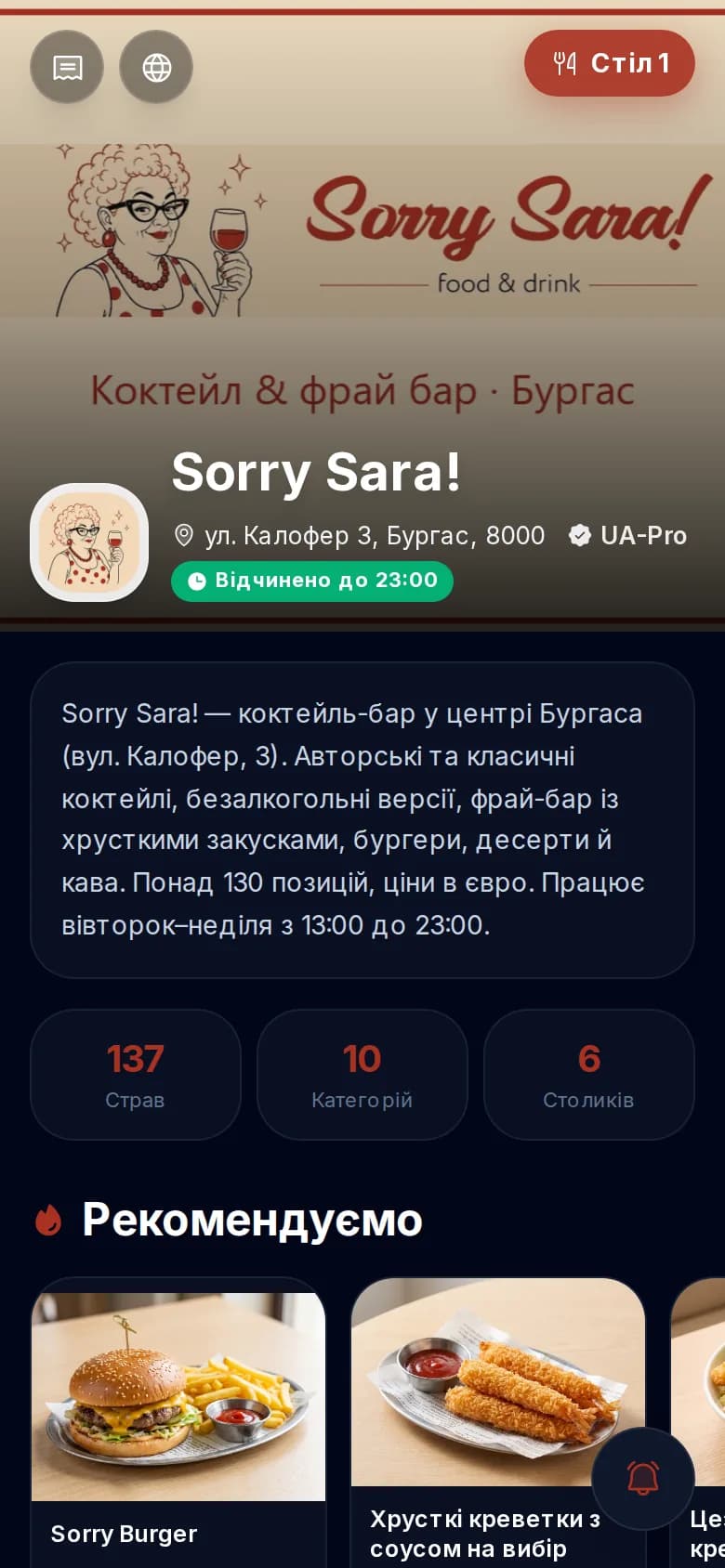
Every venue gets a public page in the open UA Pro restaurant directory - with its menu, ratings and structured data. Google indexes it and AI assistants (ChatGPT, Perplexity, Gemini) cite it when a guest is looking for somewhere to eat.

Your restaurant lives alongside hotels, car rentals, services, jobs and car parts. A guest booking a hotel or looking for a service also sees your venue - a new channel that the narrow QR services simply don't have.
03 / Full capabilities
Everything already live in the system - from a dish card with calories and full macros to bill splitting, one-tap tips and kitchen analytics.
04 / Comparison
An honest comparison of what three restaurant QR-menu systems can do. Expirenza and Choice QR are part of the monobank ecosystem (merged in 2024).
Data is based on the platforms' public information as of June 2026 and on UA Pro's feature set. "✓" - available, "-" - not available or in development, "n/a" - no public data. The Expirenza and Choice QR names belong to their respective owners and are shown for comparison.
05 / Why UA Pro
Cheaper, broader in features, and with a channel that brings in new guests.
It starts from UAH 125/mo, half the price of the alternatives, and the first 30 days are free with the full feature set. Payments go straight to your merchant account: UA Pro takes no cut of your turnover - only the bank takes its acquiring rate.
Expirenza and Choice QR are tools for the guest already sitting at your table. UA Pro does more: your public venue page is indexed by Google and cited by AI assistants, so you're also found by people who are only just looking for somewhere to eat.
A kitchen display with station routing, revenue and top-dish analytics, assigning waiters and bartenders to stations. Not just a digital menu, but a working tool for running the venue.
We help with launch and with migrating your menu from your current service, and we're right there when you need us. You're not left alone with the system - there's a team behind you that genuinely wants your venue to thrive.
06 / Getting started
Step 1
Create a venue account in 5 minutes - for free.
Step 2
Upload your dishes, photos, zones and tables. We'll help you bring over your existing menu.
Step 3
The system generates a QR for every table - all that's left is to print them.
Step 4
Guests scan, order and rate. Your venue appears in the directory.
07 / Roadmap
The platform is actively evolving. Coming up next are features that will make running your venue even more complete:
Start
The full feature set at no charge, then from UAH 125/mo and 0% fee on payments. A QR menu in 30 minutes and a public venue page that gets found in Google and AI search.
Leave your number - we'll set it up for you
We call back during business hours and set up your account together in 15 minutes. Free.
08 / Questions
It's a system that brings together a digital menu, ordering from the table, bill payment and review collection in a single QR-code scan, with no waiter involved. UA Pro delivers exactly that and also lists your venue in an open directory that people find through Google and AI search.
The first 30 days are free with the full feature set. After that it's from UAH 125/mo, roughly half the price of comparable QR services. Registering your venue is free, with no hidden charges.
UA Pro takes no fee on payments. We connect your own merchant account, so the money arrives directly in the venue's account and you pay only the bank's direct acquiring rate. For comparison, Expirenza takes 1.3–2% of the bill.
Not hard at all - payments work out of the box. You create a free monobank merchant account, paste the acquiring token into your venue settings, and card, Apple Pay and Google Pay payments turn on right away, with no developers. All the complex technical integration - creating invoices, handling webhooks, reconciliation and refunds - is handled by UA Pro. In other words, the bank integration is just as seamless as with the "bank's own" solutions, but the money goes straight to your account and the platform takes no cut of your turnover whatsoever.
The dish card is as detailed as it gets: photo, description, price, portion weight and volume, calories and full macros (protein, fat, carbs), allergens and tags (🌶️ spicy, 🌿 vegan, ⭐ bestseller), preparation time and a public dish rating based on real orders. You can set a promo price with a sale badge, mark a dish as recommended, or add it to the stop-list / 86 in a single tap - after which guests can't order it.
Yes. Guests can split the bill "everyone pays their own" and each pay their share, and tips for the team are left in a single tap - by percentage or a fixed amount. You can also set up an automatic service charge (%). Payment is by card, Apple Pay or Google Pay via monobank, and the money goes straight to the venue's account.
Yes. A guest reserves a table for a specific date and time, states the number of guests and, if they wish, picks a zone or a specific table. Before arriving they can pre-order dishes - and even pay in advance, so the kitchen starts cooking to your exact time and you don't have to wait. The venue sees every reservation with its pre-orders in the dashboard.
Yes. A venue turns on its own delivery with a single toggle - guests order straight from the restaurant's public page, with no aggregators and none of their commissions. Coverage is set by a list of districts or by a radius with automatic distance calculation from the guest's address; the delivery fee is computed automatically (base + per kilometer, free delivery above a set amount, minimum order). Payment can be online in advance (monobank, LiqPay or Stripe) or in cash to the courier, and the guest sees the cost and estimated delivery time upfront.
Three providers to choose from: monobank, LiqPay (PrivatBank) and Stripe - the system suggests the right one based on the venue's country. You create your own merchant account, paste the token into your settings, and card, Apple Pay and Google Pay payments work out of the box. The money for orders, delivery or reservations goes straight to your account, and the platform takes no cut of your turnover - only the bank takes its acquiring rate.
Beyond the QR menu and ordering, UA Pro gives you a public venue page in Google and AI search, a kitchen display (KDS) with station routing, business analytics, payments straight to your account with no commission from us, and the Super App ecosystem (hotels, cars, services). In other words, new guests find you too - not just the ones already at the table.
Yes. The kitchen display (KDS) automatically routes dishes to stations (kitchen, bar, grill, sushi, pastry). Each cook sees only their own items and their status - accepted, cooking, ready - and overdue orders are highlighted.
No. Staff only need a smartphone or tablet, and guests use their own phones. The kitchen display opens in an ordinary browser on any screen. POS terminals and printers aren't required to get started.
In as little as 30 minutes if you already have dish photos. You can upload the menu manually or bring it over from an existing source - our support will help - after which the system generates the QR codes for your tables.
Register your venue on UA Pro, upload dishes with photos and prices, add zones and tables - and the system automatically generates a separate QR code for every table, which you just print. It's free for the first 30 days and takes about 30 minutes. You don't need a designer, a separate QR generator or your own website: the menu is updated from your phone, and the QR always points to the current version. For printing, you can choose a design and add your venue's logo.
The classic downsides of QR payment are the service's fee on every payment, the money passing through an intermediary's account, and delayed payouts to the venue. UA Pro closes all of that: we connect your own merchant account, so the money goes straight to the venue's account the same day, and the platform takes no cut - you pay only the bank's acquiring rate. Guests can split the bill among themselves and leave tips in a single tap; payment is via monobank, Apple Pay or Google Pay.
For a digital QR menu, popular options are UA Pro, Expirenza by mono and Choice QR. UA Pro is more than just a menu - it's a full system: order from the table, kitchen display (KDS), payments straight to your account with no platform fee, and a public venue page in Google and AI search, from UAH 125/mo with 30 days free. If all you need is a static menu without ordering, any QR generator will do - but it won't give you ordering, payments or analytics.
UA Pro is a full restaurant and café automation system, not just a QR menu: real-time order tracking, a POS terminal for waiters, a kitchen display (KDS), direct payment to the venue's account and sales analytics. The QR menu is the entry point, backed by an ordering and floor-management system.
Yes. The waiter takes and manages orders from a phone or tablet, dishes fly automatically to the kitchen display, and the guest pays the bill via QR. It replaces a separate POS system and waiter app - all in one venue dashboard.
The start is free for one venue with a QR menu. Advanced features (POS, KDS, full analytics, multiple venues) come with the «Restaurant Pro» plan from €25/month or «Venue network» at €59/month, with no commission on your orders and payments.
09 / Share
Know a restaurant owner? Tell them about UA Pro